
How To Delete Spartoo Account
How To Delete Spartoo Account: Spartoo was founded in 2006. It is headquartered in Grenoble, France. It operates in Spain, England, Germany and Italy. The company’s name is inspired by the gladiator sandal or “spartiate” from the ancient Greek town of Sparte.
Spartoo retails footwear and footwear in Europe for women, men and children. Established in 2009 as part of his company, Spartoo.com is an e-commerce site that sells clothing and footwear products.
Delete Spartoo Account
The Spartoo account is not deleted in the mobile app. Sign in to the website. In order to delete the account, it is necessary to set a password first.
Sign in to your account and follow the steps below.
For the Spartoo.co.uk site;
Click “My Account > My Password“. Leave the “Current password” option blank as you don’t have a password yet. Enter your password in the other boxes and click the “Confirm” button.
After the password is set
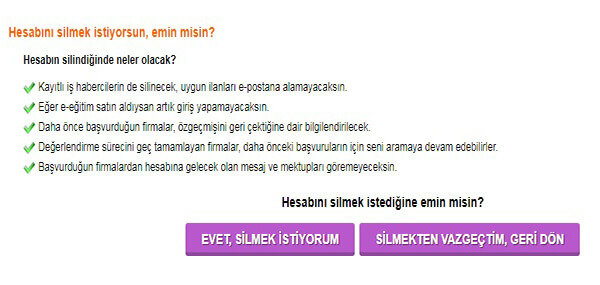
Follow the steps of “My Account > Delete My Account“. Enter your password and click the “Delete My Account” button.
Your account has been deleted
For the Spartoo.com site;
Click on the steps “Mon Compte > Mon mot de passe“. Leave “Mot de passe actuel” blank as you don’t have a password yet. Enter your password in the other boxes and click the “Valider” button.
After the password is set
Follow the steps “Mon Compte > Supprimer mon compte“. Enter your password and click the “Supprimer mon compte” button.
Your account has been deleted
If you are logged into the Spartoo platform with twitter, facebook, apple or gmail, apply the following.
If you are logging in with Twitter:
– Login to your account.
– Go to the Apps & devices tab in your account settings. All applications linked to your account are displayed here. Below each app’s name and description, you can see what permissions your account is using as a list.
– If you want to unlink an app from your account, click on the name of the app and click the button next to the app or at the bottom of the page.
– Click on the Remove access button.
If you are logging in with Facebook:
– Click on the menu from the top right corner of Facebook.
– Select Settings & Privacy and then click “Settings“.
– Click on Apps and Websites from the left menu.
– Click the box next to the apps or games you want to remove.
– Click Remove.
After you uninstall the app or game, the app or game cannot be posted on your timeline. If you’re still seeing an old post, you can remove it.
If you’re logging in with Apple:
To see a list of the apps you use with Sign in with Apple and manage your preferences for each, go to Apple ID settings on your device or sign in to your Apple ID account page.
On your iPhone, iPad or iPod touch
– Open the Settings app and tap your name.
– Tap Password & Security.
– Tap Apps Using Your Apple ID.
on your Mac
– Select the Apple menu and click System Preferences.
– Click Apple ID and select Password & Security.
– Click Edit.
on the Internet
– Login to appleid.apple.com.
– Go to the Security section. Select “Manage apps and websites” from the Sign In with Apple section.
– Select Manage.
If you are logging in with GMail:
– Sign in to your Gmail account and copy the https://myaccount.google.com/u/3/permissions address and paste it into the browser’s address bar.
– Select the application or service you want to remove.
– Select Remove Access.